On this page
Recent Visits lists Nepal travel agencies you can ask for a quote. Agencies pay a flat fee to be listed. Travellers can read and write reviews of them. Reviews are written by travellers and read by our team before they appear; an agency's plan or sponsorship never changes its reviews or rating. For how agencies see their reviews, see the agency guide; this article is for travellers.
Where each page is#
| Page | Route | Who can open it |
|---|---|---|
| Partner agencies (directory) | /partners | Anyone |
| An agency page | /partners/<agency> | Anyone |
| All reviews of an agency | /partners/<agency>/reviews | Anyone |
| Write or edit your review | /partners/<agency>/review | Signed-in travellers (you are sent to sign in first) |
| My reviews | /account/reviews | Signed-in travellers |
You reach the directory from the footer (For agencies, Partner agencies), from the menu drawer, or from the Partner agencies button on the homepage tours section.
The agency directory#
The heading is Partner agencies. Above the list is one search form.
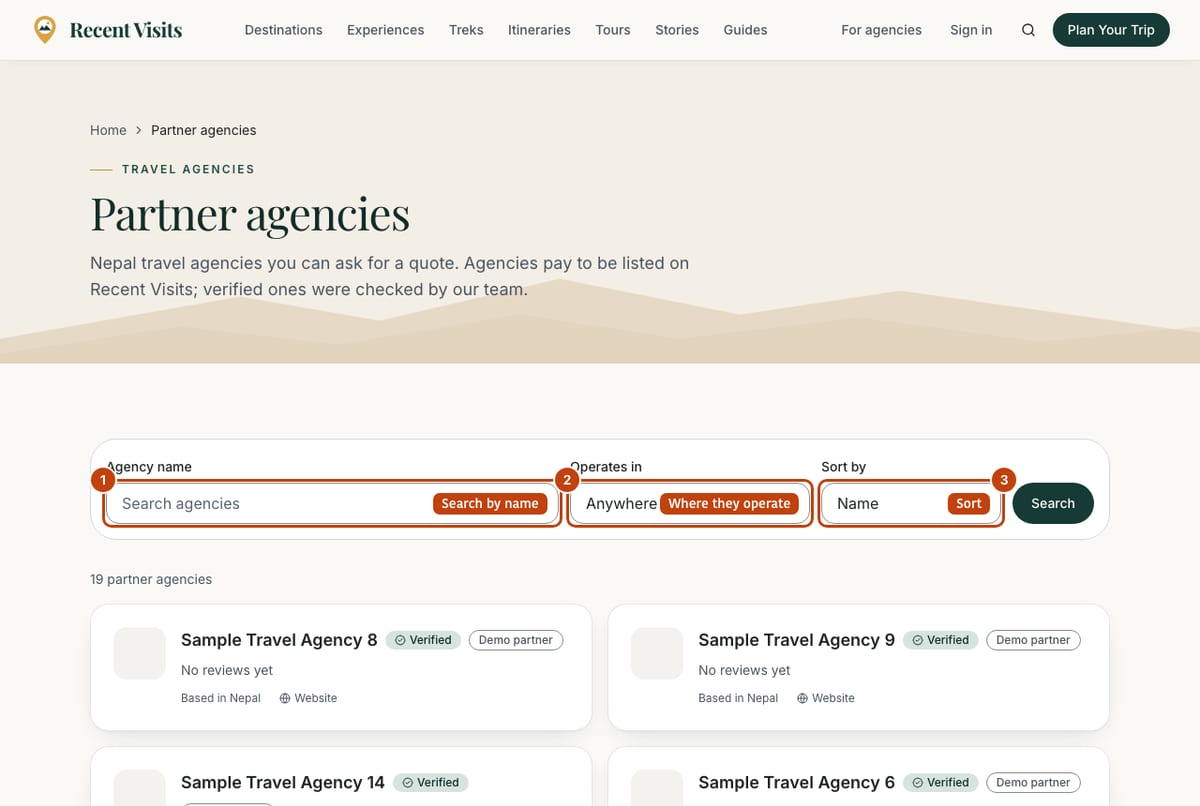
| Field or item | Type | Required? | Explanation | How to use it |
|---|---|---|---|---|
| Agency name | Text (placeholder "Search agencies") | No | Part of an agency's name. Only the first 80 characters count. | Type a name or part of one. |
| Operates in | Menu | No | Anywhere in Nepal (default) or one destination. Only agencies that say they operate there are listed. | Choose a destination. |
| Sort by | Menu | No | Name (default) or Top rated by travellers. The rating order uses a confidence-adjusted average of published reviews, so one perfect review does not beat many good ones. Agencies without reviews come after, in name order. Nothing else, and never a plan or payment, affects the order. | Choose how to order the list. |
| Search | Button | - | Applies the three choices (they travel in the web address, so you can bookmark them). | Select it. |
| Clear | Link button | No | Appears when a filter is active; resets the form. | Select it. |
| Result line | Text | - | For example "3 partner agencies operating in Pokhara matching "trek"". | Read. |
An agency card#
| Field or item | Type | Required? | Explanation | How to use it |
|---|---|---|---|---|
| Logo and name | Link | - | The name opens the agency page. | Select the name. |
| Verified badge | Badge | - | Staff checked identity and licence. | Prefer verified agencies if you can. |
| Demo partner badge | Badge | - | An example listing, not a live commercial partner. | Do not rely on it. |
| Tagline | Text | - | The agency's own short description. | Read. |
| Stars and number | Rating | - | The average of published reviews to one decimal and the review count, or "No reviews yet". | Open the page to read the reviews. |
| Based in, languages, Website | Text, link | - | The agency's own details. Website opens the agency's site in a new tab (marked as a sponsored link). | Select Website to see it. |
If nothing matches you see "No partner agency matches your search" (with a hint to try another destination or ask the assistant), or "No partner agencies yet" when the list is empty. A line under the list repeats that agencies pay to be listed and that Featured agencies are always labelled, with a link to How we make money.
Other Nepal agencies, not yet partners#
Below the list a section with that title shows up to 30 agencies whose details were collected from their own websites. They have not joined Recent Visits, so they cannot receive quote requests here. Each shows the name, the website address and up to three places, and a link Is this your agency? Claim it. Agency owners use it to start a claim. At the bottom a box, Run a travel agency in Nepal?, has a List your agency button.
An agency page#
| Field or item | Type | Required? | Explanation | How to use it |
|---|---|---|---|---|
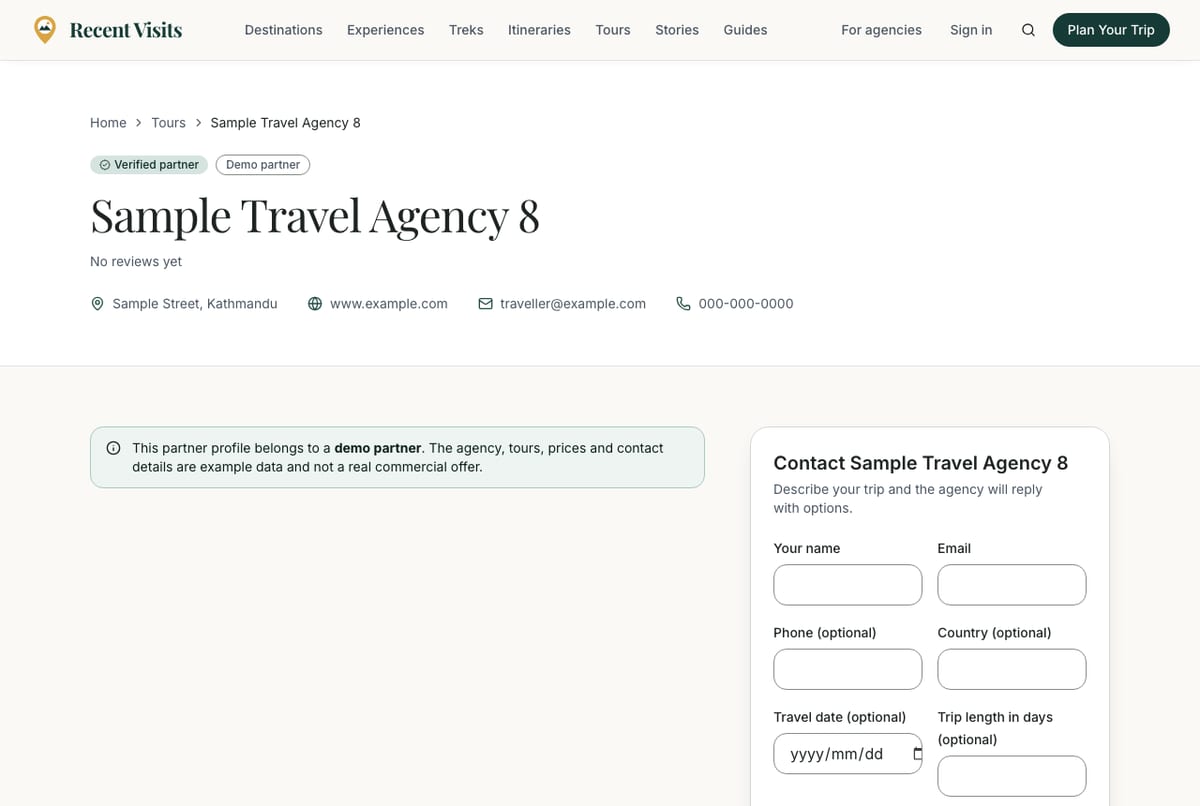
| Badges | Badge | - | Verified partner or Partner; Demo partner for example listings (with a notice that the profile is a demo). | Read. |
| Name, tagline | Text | - | The agency's own text. | Read. |
| Rating line | Link | - | Stars, average and "(N reviews)", or "No reviews yet". Jumps to the reviews. | Select it. |
| Contact details | Text | - | The address, website, email and phone the agency chose to publish. | Use the quote form rather than emailing if you want to compare quotes on Recent Visits. |
| Description and FAQs | Text | - | Written by the agency. | Read. |
| Contact (agency) card | Form | - | The quote form, "Describe your trip and the agency will reply with options." Every field is explained in Quotes and agency enquiries. | Fill it in to ask for a quote. |
| Not a partner yet card | Card | - | Replaces the form for an agency nobody has set up yet: it "has not joined Recent Visits, so it cannot receive quote requests here", with links See partner agencies and Is this your agency? Claim it. | Choose another agency. |
| Tours by (agency) | Cards | - | Up to 24 published tours, with the usual partner disclosure. Empty: "No published tours yet". | Open a tour. |
| What travellers say | Section | - | The rating summary, reviews and the Write a review button. See below. | Read the reviews. |
Reading reviews#
On the agency page#
The What travellers say section shows:
- Rating summary: the average out of 5 to one decimal with stars, the number of reviews, "N with a verification badge" when some are verified, and a bar for each of 5 to 1 stars. Category averages (for example communication or value) appear only when at least 3 reviewers rated that area. With no reviews it says "No reviews yet" instead of a rating.
- What reviewers mention: only with at least 5 reviews. Counts how often a theme (for example guides or transport) is mentioned and how many of those reviews were positive, labelled Praised, Concerns raised or Mixed views. It is counted by keyword, shows opinions rather than facts, and says so.
- The three most recent reviews and, if there are more, See all N reviews.
- The sentence: "Reviews are written by travellers and read by our team before they appear. An agency's plan or sponsorship never changes its reviews or rating."
- If you cannot write a review, the reason ("This agency is not listed right now.", the demo or "Reviews open once the agency has claimed its profile, so it can answer travellers." messages) instead of the button.
A review#
| Field or item | Type | Required? | Explanation | How to use it |
|---|---|---|---|---|
| Stars and title | Read-only | - | The overall rating; the title, or "N out of 5" when there is none. | Read. |
| Byline | Text | - | The author's name, publish month, type of trip, month travelled and "edited" if changed. | Read. |
| "About the tour" link | Link | - | If the reviewer named one of the agency's tours. | Select it to open the tour. |
| Verification badge | Badge with What does this mean? | - | Quote accepted on Recent Visits (the traveller accepted a quote from this agency here; it shows dealings with the agency, not that the trip took place), Verified experience (staff checked evidence) or Confirmed by the agency (the agency confirmed and staff checked). Not every review has one. | Open What does this mean? for the exact explanation. |
| Text, photos, Ratings by area | Text, gallery | - | The review, up to three photos and optional ratings such as "Value for money: 4/5". | Read. |
| Response from (agency) | Box | - | The agency's single public reply, with its date. | Read. |
| Report this review | Expandable form | No | See below. | Use it only for rule breaches. |
The reviews page#
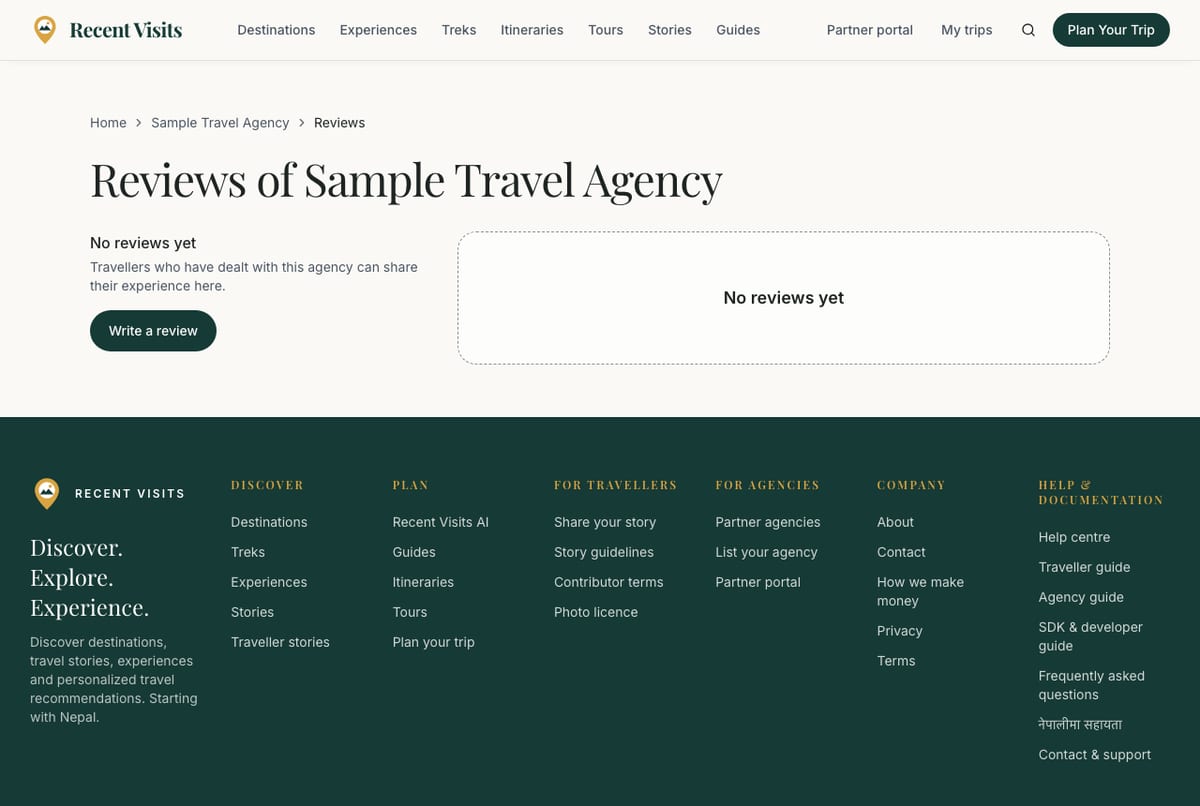
Reviews of (agency) shows the same summary and a list, 8 per page with page links.
| Field or item | Type | Required? | Explanation | How to use it |
|---|---|---|---|---|
| Filter reviews: With a verification badge | Link chip | No | Shows only reviews that carry a verification badge. | Select it; select again to turn off. |
| Filter reviews: 5 stars to 1 star | Link chips | No | Shows only reviews with that rating. | Select one. |
| Clear filters | Link | No | Appears when a filter is on. | Select it. |
| Sort reviews | Link chips | No | Most recent, Highest rated, Lowest rated, Verified first. | Select one. |
| Empty states | Message | - | "No reviews yet" or "No reviews match these filters". | Clear the filters. |
| Pagination | Links | - | Page numbers under the list. | Select a page. |
Report a review#
Anyone, signed in or not, can report a published review that breaks the rules. A report never hides the review by itself; staff read it.
| Field or item | Type | Required? | Explanation | How to use it |
|---|---|---|---|---|
| Report this review | Expandable | No | Opens a small form. | Select it. |
| Why are you reporting it? | Menu | Yes | Looks fake or paid for, Written by the agency, staff or a competitor, Spam or advertising, Harassment or abuse, Shares private information, Offensive or hateful, Something else. Error: "Choose a reason." | Choose the closest reason. |
| Details (optional) | Text area | No | Up to 1,000 characters. A reminder says disagreeing with a review is not a reason to remove it. | Explain what is wrong. |
| Send report | Button | - | Sends it. Success: "Thank you. Our team will look at this review." You can send 5 reports a day; you cannot report your own review ("You cannot report your own review. Edit or withdraw it instead."). | Select once. |
Write a review#
You can review an agency you dealt with. Open the agency page and choose Write a review (it appears only when a review is possible), or go to /partners/<agency>/review. You must be signed in; if not you are sent to sign in and brought back.
Who can write a review#
- One review per agency. If you already wrote one, the page opens it for editing ("You have already reviewed this agency. Edit your review instead.").
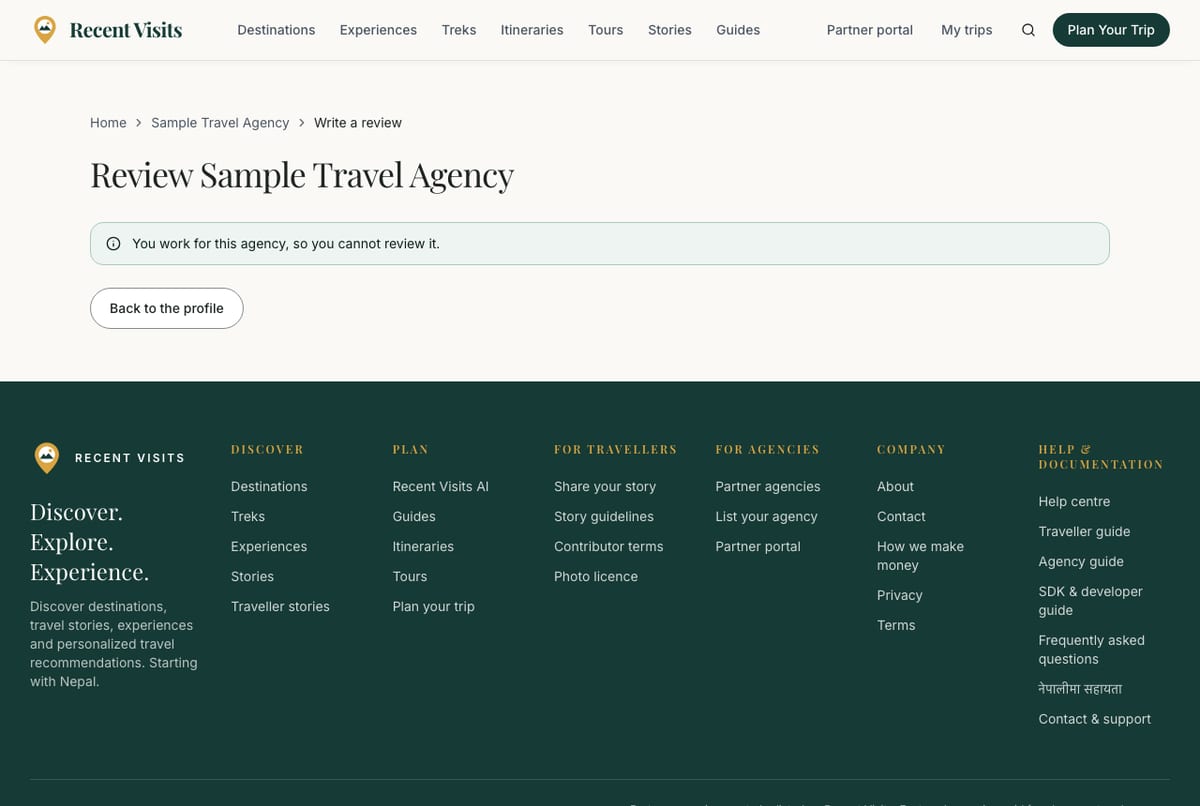
- You cannot review an agency you work for ("You work for this agency, so you cannot review it.").
- You cannot review a demo listing ("This is a demo listing, built from the agency's public website. It can be reviewed once the agency has claimed its profile.") or an agency that has not yet set up its account ("Reviews open once the agency has claimed its profile, so it can answer travellers.") or one that is not active ("This agency is not listed right now.").
- You can send up to 3 new reviews a day and edit up to 20 times a day.
The form#
| Field or item | Type | Required? | Explanation | How to use it |
|---|---|---|---|---|
| Your overall rating | Star choice | Yes | 1 to 5 stars; marked with a red asterisk. Error: "Choose a rating from 1 to 5". | Select the stars (arrow keys also work). |
| Title (optional) | Text (placeholder "Sum it up in a few words") | No | Up to 100 characters; no links ("The title cannot contain links"). | Add a short headline. |
| Your experience with (agency) | Text area | Yes | 40 to 4,000 characters, with a counter ("N / 4000 characters. What happened, what went well, what could be better?"). No more than two links. Errors: "Tell us a little more (at least 40 characters)", "Please keep it under 4000 characters", "Reviews cannot contain more than two links". | Describe what happened, fairly and specifically. |
| Type of trip (optional) | Menu | No | Not specified, Trek, Guided tour, Custom itinerary, Cultural experience, Something else. | Choose one. |
| Month you travelled (optional) | Month picker | No | Cannot be in the future. Errors: "The month cannot be in the future", "That date is too far back". | Pick the month. |
| Which of their tours? (optional) | Menu | No | Shown only when the agency has published tours: Not a specific tour or one of its tours. | Choose the tour you took. |
| Rate specific areas (optional) | Expandable group of star choices | No | Six optional ratings: Communication and responsiveness, Guide quality and professionalism, Itinerary organisation, Safety and preparation, Value for money, Overall service. | Open it and rate only what you can judge. |
| Confirmation box | Check box | Yes | "This review reflects my own honest experience with this agency. I understand it may be shown publicly with my name." Error: "Please confirm that this review reflects your own honest experience". Already ticked when you edit. | Tick it. |
| Information box | Text | - | "Our team reads every review before it appears, usually within a few days. Fair criticism is welcome; we only decline reviews that are fake, abusive, share private information or come from someone connected to the agency." | Read. |
| Submit review / Save changes | Button | - | Sends the review. Wrong fields show "Please check the highlighted fields." | Select once. |
| Cancel | Link button | No | Returns to the agency page (or My reviews when editing). | Select it to leave. |
On success you go to My reviews with "Thank you. Your review was sent. Our team will read it before it appears." Your review shows publicly with the name from your author profile (your account name if you have not set one).
After you submit: photos, proof and withdrawing#
Once a review exists, opening /partners/<agency>/review (or Edit, add photos or evidence, or withdraw on My reviews) shows the form again with extra sections underneath. Photos and proof can only be added after the review has been submitted.
| Field or item | Type | Required? | Explanation | How to use it |
|---|---|---|---|---|
| Status banner | Message | - | Pending: "Your review is waiting for our team. It will appear once it has been read." Published: "Your review is published." Not published: "We could not publish this review as it stands. Our note: (note) You can edit it and send it again." Hidden: "This review was hidden by our team. Contact us if you think that was a mistake." | Read the note and edit if asked. |
| Photos | Section | No | Up to 3 photos from your trip; JPG, PNG, WebP or AVIF up to 8 MB; location data is removed. Adding one sends a published review back to staff for a quick look. Each photo needs a description. | See the rows below. |
| Photo file | File | Yes, to add | "Photo (JPG, PNG, WebP or AVIF, up to 8 MB)". | Choose the photo. |
| Describe the photo | Text | Yes, to add | 3 to 160 characters. Hint: for people who cannot see it, for example "Our group at Namche Bazaar". Error: "Describe the photo for people who cannot see it." | Describe what it shows. |
| Add photo / Remove | Buttons | No | Adds or removes a photo ("Photo added. Our team will look at your review again." / "Photo removed."). | Select as needed. |
| Verify your review (optional) | Section | No | Send proof you dealt with this agency, such as a booking confirmation or itinerary (black out card, passport and booking numbers). Only staff can open it. You can send up to 3 files (PDF, JPG, PNG or WebP, up to 3.5 MB each). Your review is published whether or not you verify it. | See the rows below. |
| Evidence file | File drop area | Yes, to send | "Drop a PDF or photo here, or choose one". Errors: "Choose a file to send.", "You can send up to 3 files." | Choose the file and select Send for checking. |
| Verification state | Message | - | Not verified, "Our team is checking what you sent. We will email you with the result.", "Your review is verified." or "We could not match what you sent to this agency. Your review stays published without a badge." Files are deleted about 30 days after our decision. | Wait for the email. |
| Ask us to look again | Form | No | Appears after a review was not published or was hidden. Field Why should we look again? (10 to 1,000 characters). You can ask once. Outcomes: "Your appeal is with our team. We will email you with the decision.", "We agreed with your appeal.", or "We looked again and kept our earlier decision." | Explain what you think we misjudged. |
| Withdraw | Button | No | Asks "Withdraw this review? It stops counting, and its text and your name are removed. You can write a new one later." Buttons Yes, withdraw it and Keep it. Success: "Your review was withdrawn." | Confirm only if you are sure. |
My reviews#
My reviews (/account/reviews, from My trips) lists every review you wrote that has not been withdrawn.
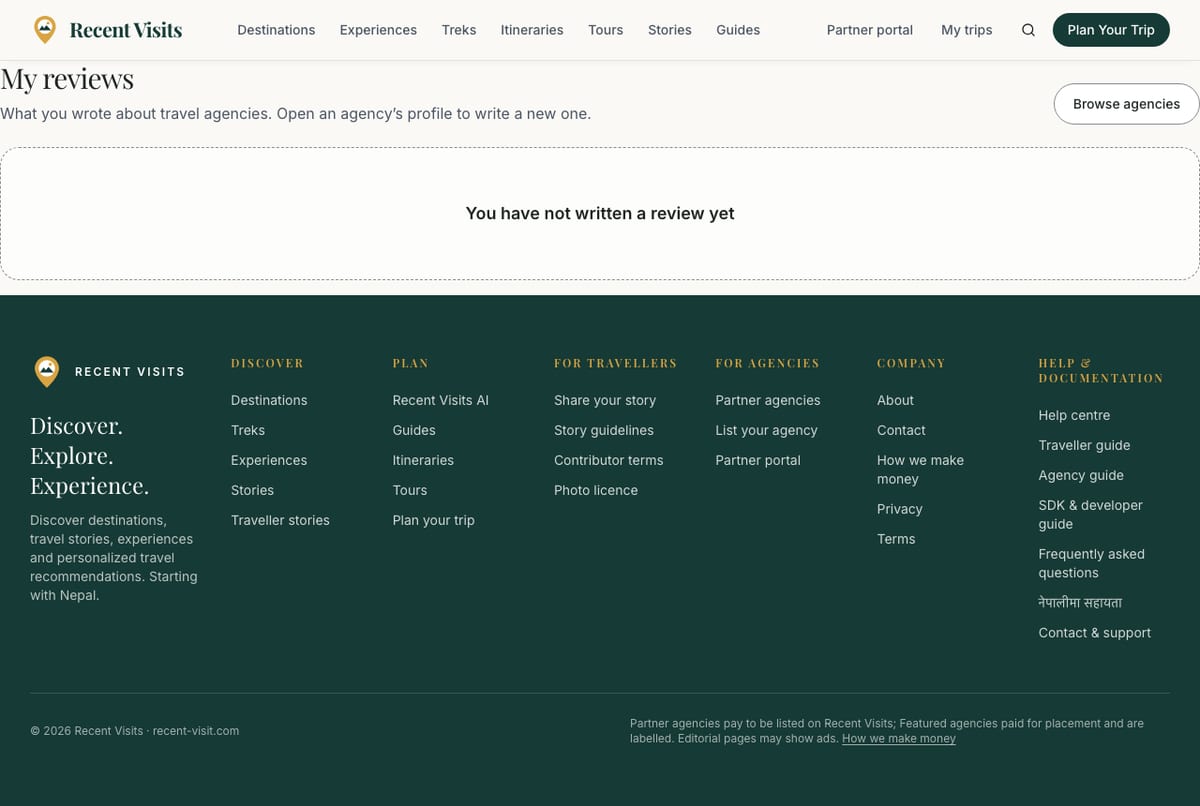
| Field or item | Type | Required? | Explanation | How to use it |
|---|---|---|---|---|
| Stars, title | Read-only | - | Your rating and title (or "N out of 5"). | - |
| Status badge | Badge | - | Waiting for review, Published, Not published or Hidden by staff. | See the table below. |
| Agency link | Link | - | Opens the agency page. | - |
| "Our note" | Alert | - | The reason we gave when a review was not published. | Edit as needed. |
| "The agency replied to this review." | Text | - | Shown when the agency answered. | Read the reply on the agency page. |
| Verification line | Text | - | not verified (optional), our team is checking, verified or could not be verified, with the number of photos. | - |
| Appeal lines | Text | - | "You can ask us to look again once.", "Your appeal is with our team.", "Appeal granted" or "Appeal decided: earlier decision kept", with our note. | - |
| Edit, add photos or evidence, or withdraw → | Link | No | Opens the review page described above. | Select it. |
| Browse agencies | Button | No | Opens the directory. | - |
| Empty state | Message | - | "You have not written a review yet". | Open an agency page. |
After saving you see "Thank you. Your review was sent. Our team will read it before it appears." or "Your changes were saved. Our team will take a quick look before the review shows again."
Review statuses#
| Status | Meaning |
|---|---|
| Waiting for review | Staff have not read it yet, usually within a few days. It is not public and does not count. |
| Published | Public, and counts towards the agency's rating. Editing a published review sends it back to staff, so a rating cannot change unnoticed. |
| Not published | Staff declined it. You see their note; you can edit and resubmit, and ask once for a second look. |
| Hidden by staff | A published review was taken down; you can ask once for a second look. |
| Withdrawn | You withdrew it. The text and your name are removed and the review is not listed any more; you can write a new one. |
Staff decline reviews that are fake, abusive, share private information or come from someone connected to the agency. A critical review is not removed for being critical. The agency can reply publicly once; neither the reply nor a report changes your rating.
How to leave a review, step by step#
- Open the agency page and select Write a review.
- Choose your stars and write at least 40 characters about your experience.
- Optionally add the trip type, month, tour and area ratings.
- Tick the honesty confirmation and select Submit review.
- Look for the "Thank you" message on My reviews.
- When staff have read it you receive an email. Add photos or proof from the review page if you wish.
Troubleshooting#
| Problem | What to try |
|---|---|
| There is no Write a review button. | The page shows why: the agency is a demo listing, has not set up its account, or you work for it. |
| "You have already reviewed this agency. Edit your review instead." | Open My reviews and select Edit, add photos or evidence, or withdraw. |
| "Tell us a little more (at least 40 characters)" | Write a few more sentences. |
| "Reviews cannot contain more than two links" | Remove links; reviews with many links are treated as spam. |
| "You are doing that too often. Please wait a moment." | A daily limit was reached (3 new reviews, 20 edits or 5 reports a day). Try tomorrow. |
| My review is "Not published". | Read Our note, edit and resubmit, or use Ask us to look again. |
| I want to add photos while writing. | Photos and proof can only be added after the review has been submitted. |
Contact us if you need help.
Last checked against the product:
Related articles
- Quotes and agency enquiries · How to ask a travel agency for a quote on Recent Visits, what each form field means, what happens next, and how to read, compare, accept or decline quotes. A quote request is not a booking.
- Accounts, sign-in and profile · Create an account, sign in with a password or an email link, reset a password, use your account page, manage your author profile and understand what you can do without an account.
- Browse destinations, tours and search · Every public section page explained: destinations, itineraries, tours, treks, things to do, travel guides and search. What each control does, how filters work and how the quote buttons behave.
- Frequently asked questions · Short answers about booking, quotes, the AI assistant, accounts, agencies, reviews and the website widget.
Still stuck? Contact us and tell us what you tried.